
Yesterday while trying to update my gocodes plugin, I got into this situation. As soon as I clicked on “Automatically update your plugin” link placed inside the plugins tab in wordpress, I noticed, I was not able to access plugins menu or tools menu from my admin panel and all my clicks were getting redirected to the blog itself.
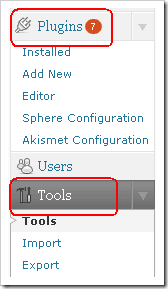
What can you do to resolve this kind of situation?
It’s actually quite simple than you think.
- Go to your wordpress file server. (Place where you have your wordpress installation)
- Delete the ‘gocodes’ folder (or plugin folder that created problem for you at the first place) from inside the plugins folder present under wp-content >> plugins.
- Get hold of the the earlier version of the plugin and place it there.
- Now activate this plugin under wordpress panel .
- You will see all your menus working again.

 Ankur Jain is a Software Engineer in Test Automation. After a 5 years stint with Accenture and Oracle, he started his eLearning company. A long-time blogger and proud owner of the "Learn" series of websites.