
If your Gmail takes a lot of time to open, in all probability the browser cache should be blamed for. There is a quick fix. If you use Firefox, Go to Tools > Clear Private Data. Click in Clear Private Data Now.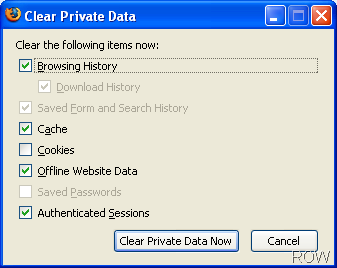
If you are on IE, go to Tools > internet options. Delete Cookies, Delete files and Clear history. 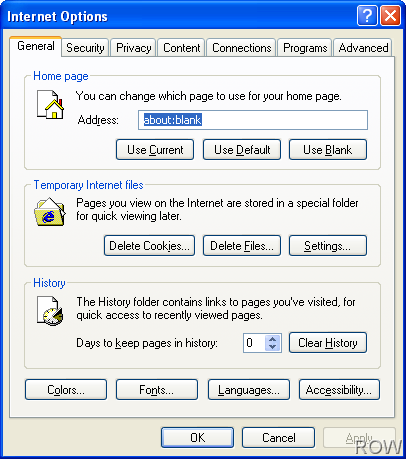
Open Gmail again. See the magic. Gozar!

 Ankur Jain is a Software Engineer in Test Automation. After a 5 years stint with Accenture and Oracle, he started his eLearning company. A long-time blogger and proud owner of the "Learn" series of websites.
Trackbacks/Pingbacks