
Accessing your WordPress-powered admin panel from your mobile phones may seem impossible — or at least hard to do — a couple of years ago, but with the help of native WordPress for iPhone apps managing and maintaining your site on-the-go will be as easy as it can possibly get.
IPhone users now enjoy the luxury of being able to maintain their blog on-the-go with the help of WordPress for iPhone. The latest version (2.1) allows you to create posts, upload photos, edit pages, and manage comments on your blog from your iPhone or iPod touch.
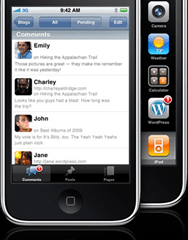 The user interface of WordPress for iPhone is extremely intuitive, allowing you to access features with a few simple touches. Uploading photos, even photo-blogging extensively, will not be a problem at all because the app integrates nicely to iPhone’s camera and multimedia features.
Categories and tags as well as old posts and media will be accessible as well; they are streamed to you as soon as you configure your app. Since the WordPress for iPhone works for both self-hosted WordPress platform as well as free WordPress.com blogs, so you will have no problem at all configuring the app to work with your site. It supports SSL-encrypted connection for streaming data, so you wouldn’t have to worry about security issues at all.
The WordPress for iPhone 2.1 is now available on iTunes. You can also install the app on your iPod Touch, so get your copy right away.

 Ankur Jain is a Software Engineer in Test Automation. After a 5 years stint with Accenture and Oracle, he started his eLearning company. A long-time blogger and proud owner of the "Learn" series of websites.