
If you’re a blogger and often have to draw good looking html tables, it may be a daunting task. Our favorite blogging tool, Windows Live Writer, though provides a native table creation utility but it lacks good formatting options.
Here is a better and quick way. First go to MS Excel and create the best looking table in the world. With various options in Excel 2007 ad Excel 2010 it is literally a matter of minutes. Once done simply select and copy the complete table.
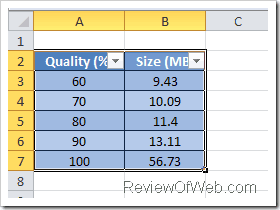
Go to Windows Live Writer. Right click where you would want to insert the table and choose Paste Special instead of Paste.
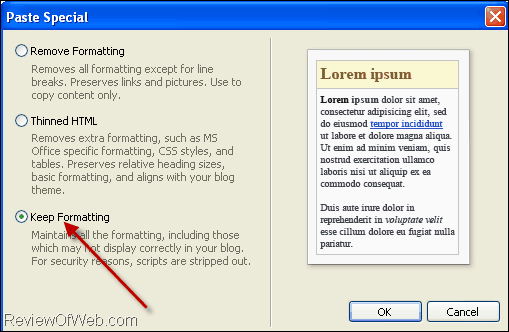
Select Keep Formatting, press Ok button and you have your HTML table generated. (Check how the above table rendered on one our earlier articles)
Recommended: 43 Hand Picked Tools for Bloggers

 Ankur Jain is a Software Engineer in Test Automation. After a 5 years stint with Accenture and Oracle, he started his eLearning company. A long-time blogger and proud owner of the "Learn" series of websites.
Windows Live Writer? what is that ? is it a software or something out side of Ms. Office?
@FGroup: Yes. It’s a blogging software by MS.
hi , thanks admin very use full tool ,your all post is inspiring thanks again.