
I use GTalk as my primary instant messenger service. Having recently opened an account on twitter, I wanted a service that would allow me to tweet from GTalk itself rather than going all the way to the twitter home page or installing other services like twihrl or tweetdeck.
I searched a lot on web, there was one blog entry which said you can use [email protected] to tweet using Gtalk. Tried. There was no response from the mail id and finally it ended up in error saying “No such Id exists”
Finally, today I got the solution from search.twitter.com itself!
Use Tweet.IM to send and receive tweets from Gtalk.
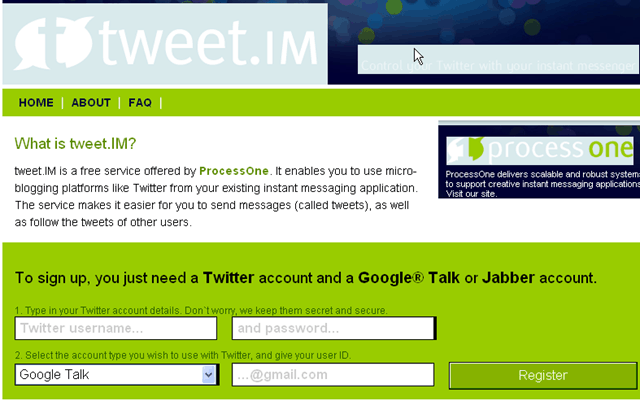 Process to set up is fairly simple and it won’t take more than 2 mins. Type in your Twitter username, password and the Gmail id through which you want to tweet and click on register. You will receive an instant friend request on your Gtalk. Accept it and start sending and receiving tweets.
Also, I use Twitter Feed to send my newly published blog post automatically to twitter. You can follow me on twitter here.

 Ankur Jain is a Software Engineer in Test Automation. After a 5 years stint with Accenture and Oracle, he started his eLearning company. A long-time blogger and proud owner of the "Learn" series of websites.
I love this site